Projects
Fix and flip project management tied to your profit
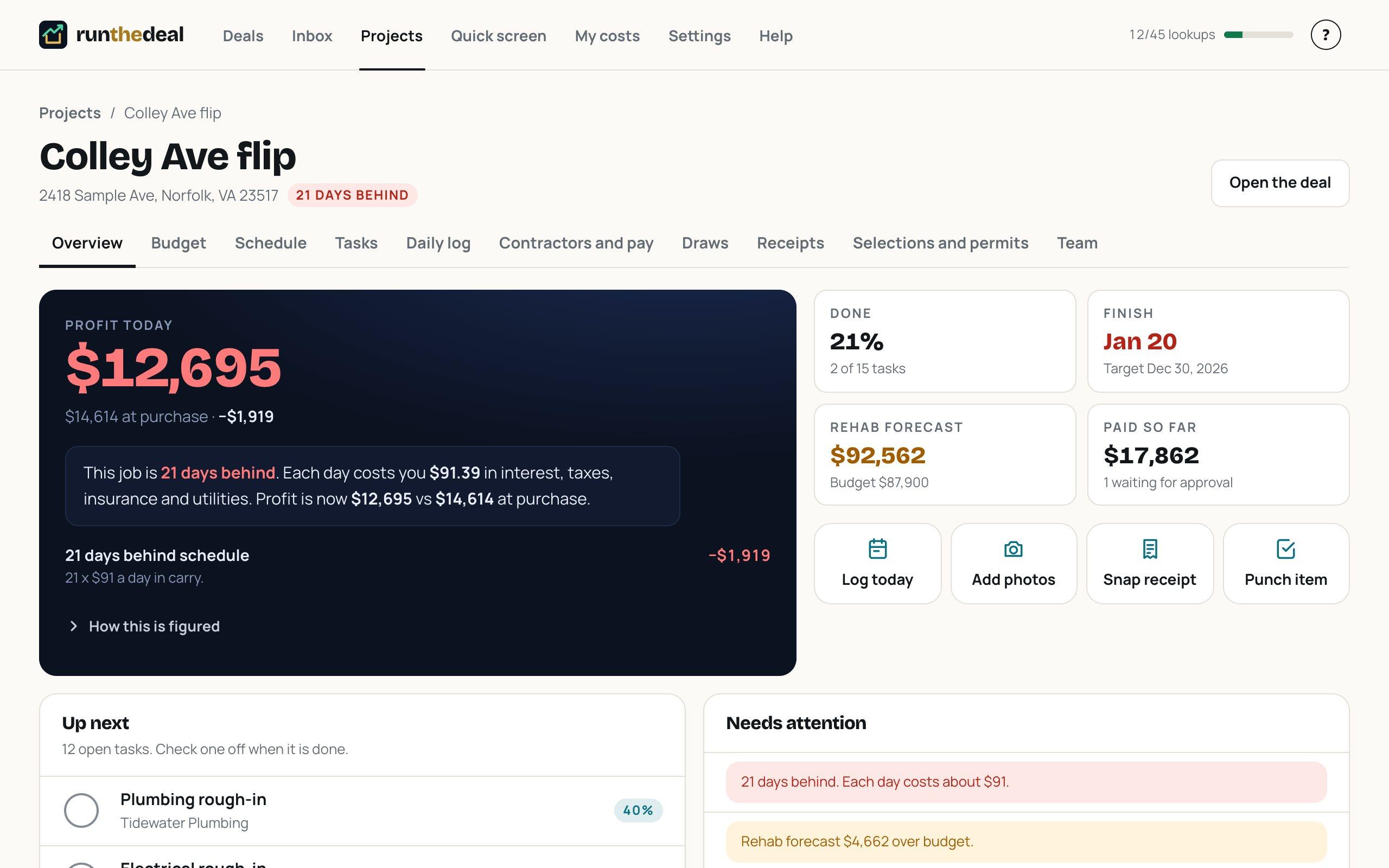
Once a deal is under contract, tap Start project. The budget, the schedule and the profit come with it, so you always know what the job is earning today.
How it works
Start the project from the deal
The purchase numbers and the rehab budget carry over. Nothing to retype.
Bring in the team
Invite a partner or VA. Send each contractor a private portal link for their own tasks and invoices.
Run the job
Approve pay requests, collect lien waivers, request draws and snap receipts. Profit today updates as you go.
What you get
Run The Deal app
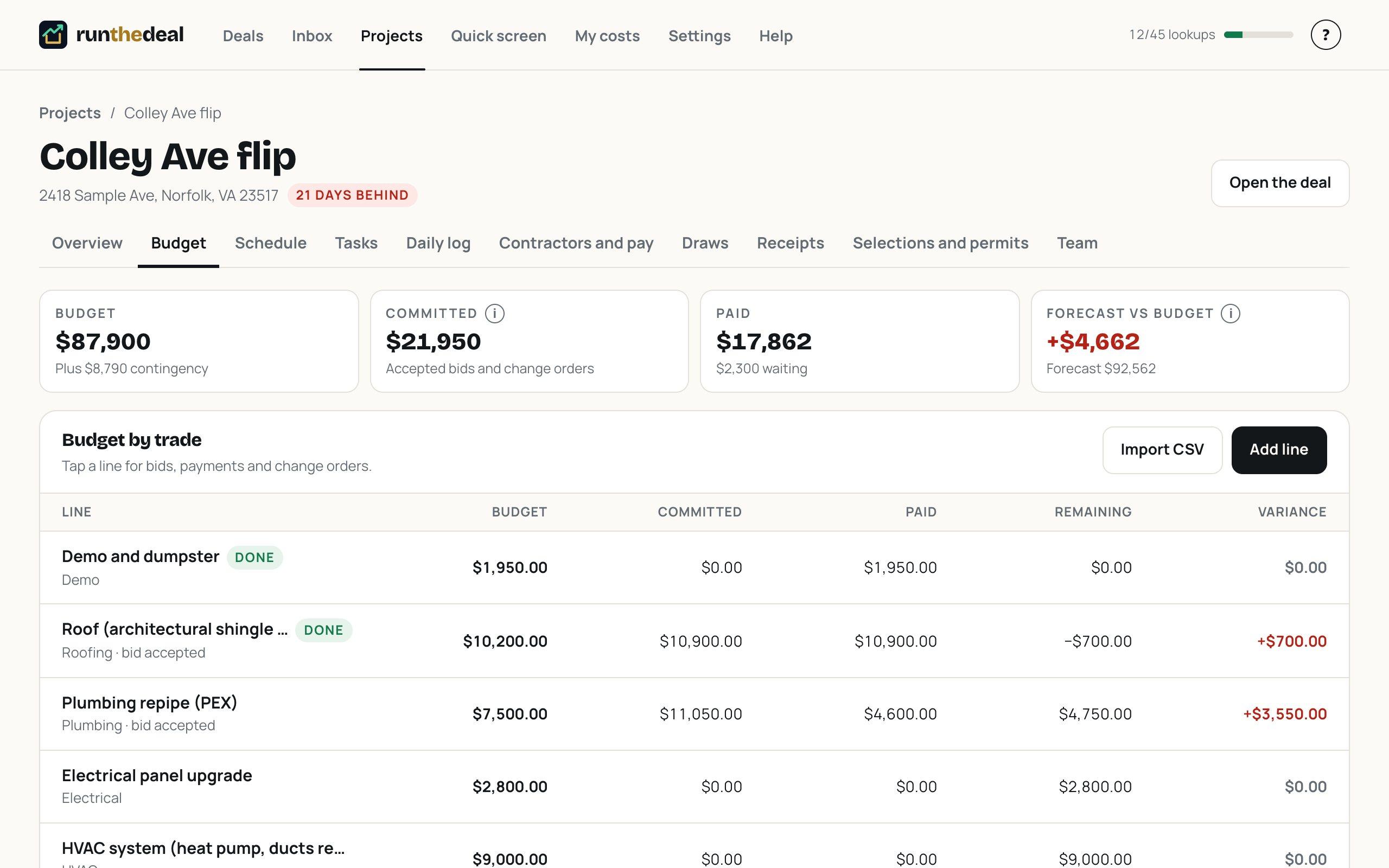
- Budget vs actual by trade, with bids, change orders and contingency
- A schedule tied to carrying cost: see what each day behind costs
- Contractors with bids, pay requests, COIs, W-9s and lien waivers
- Lender draw requests with photos, sent as a link
- Receipts by photo: AI reads the vendor, total and budget line for you to check
- Team and VA access, and a contractor portal that never shows your profit
Questions
Can my contractor see my profit?
No. The contractor portal shows only that contractor's own tasks and invoices, never your budget or profit.
Can I bring my budget from another tool?
Yes. Import a budget from a CSV file.
Does it replace my accounting software?
No. It tracks the job: budget, payments, receipts and draws. Keep your books in your accounting software.
Learn the terms
Run your next deal before you write the offer.
Run The Deal is in an invite-only beta. Ask for a spot and we will email you when it opens.